From the care plan
to the moment of care.
Give caregivers the instructions and personal context they need. Give coordinators a way to organize care, review what is recorded, and follow up with the team.
Book a demo For caregivers
The person’s care, at your fingertips.
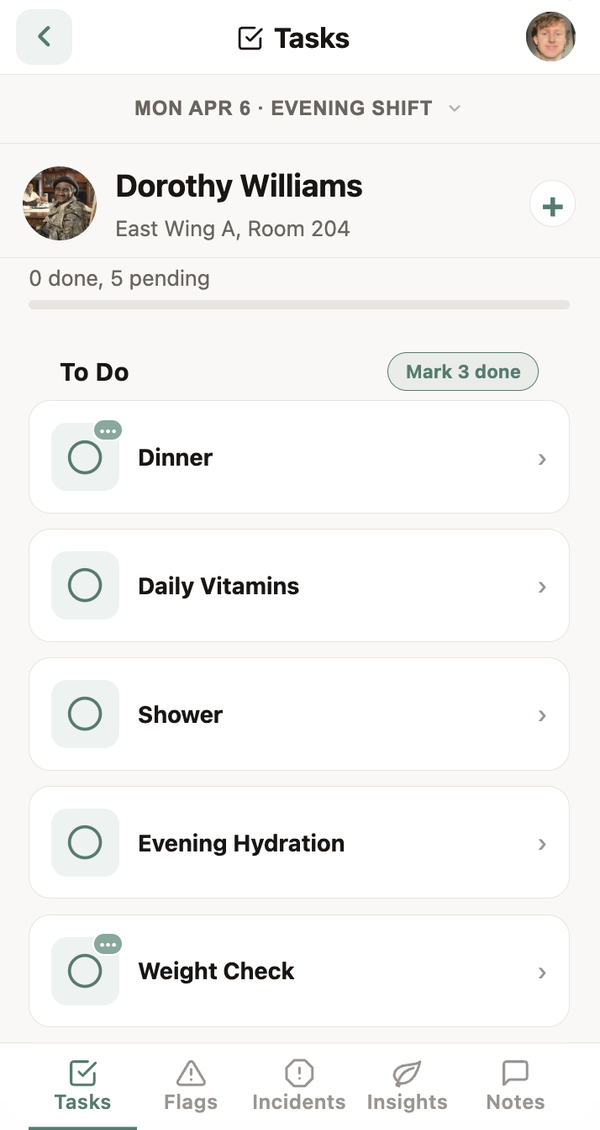
Kulea Go brings together the tasks, instructions, and insights for each person. Caregivers can see what needs doing, record the care they provide, and contribute what they learn along the way.
A clear view of the shift or visit
See each person’s tasks and the instructions that go with them, so the plan stays close to the work.
Personal context inside the task
Read shared insights where they are relevant. A person’s routine or preference can help the next caregiver approach the task with greater understanding.
A place to record and share
Chart care, record observations, and share insights that may help another caregiver.
Available on iOS and Android.
Works offline.
Spotty Wi-Fi is part of the working day in many communities and homes. Kulea Go works offline, so caregivers can keep using the app when an internet connection is unavailable.
In your caregiver’s
native language.
Caregivers will be able to use Kulea Go in their native language, helping a team that speaks different languages work with shared understanding.
 Precision tracking
Organize care around each person.
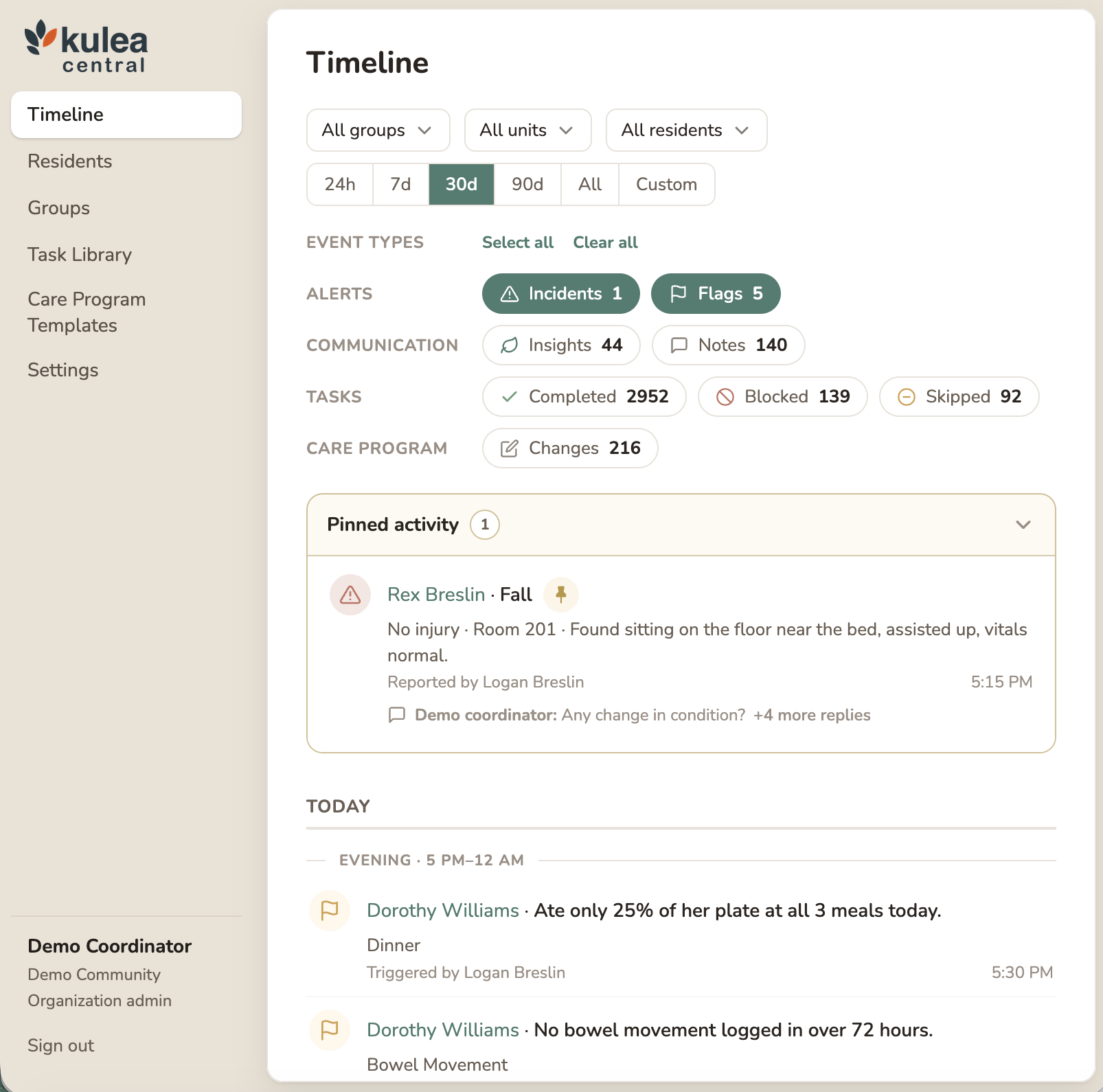
Use Kulea Central in the browser to build care programs, decide what the team should track, and review the information caregivers record.
Choose what matters
for each person
Set up tasks, instructions, and observations around individual needs. Choose how often the team records information and which recorded values should raise a flag.
See the record
together
Review tasks, notes, incidents, flags, and care program changes in a shared timeline. Open a task’s history to see how recorded information changes over time.
Follow up
with context
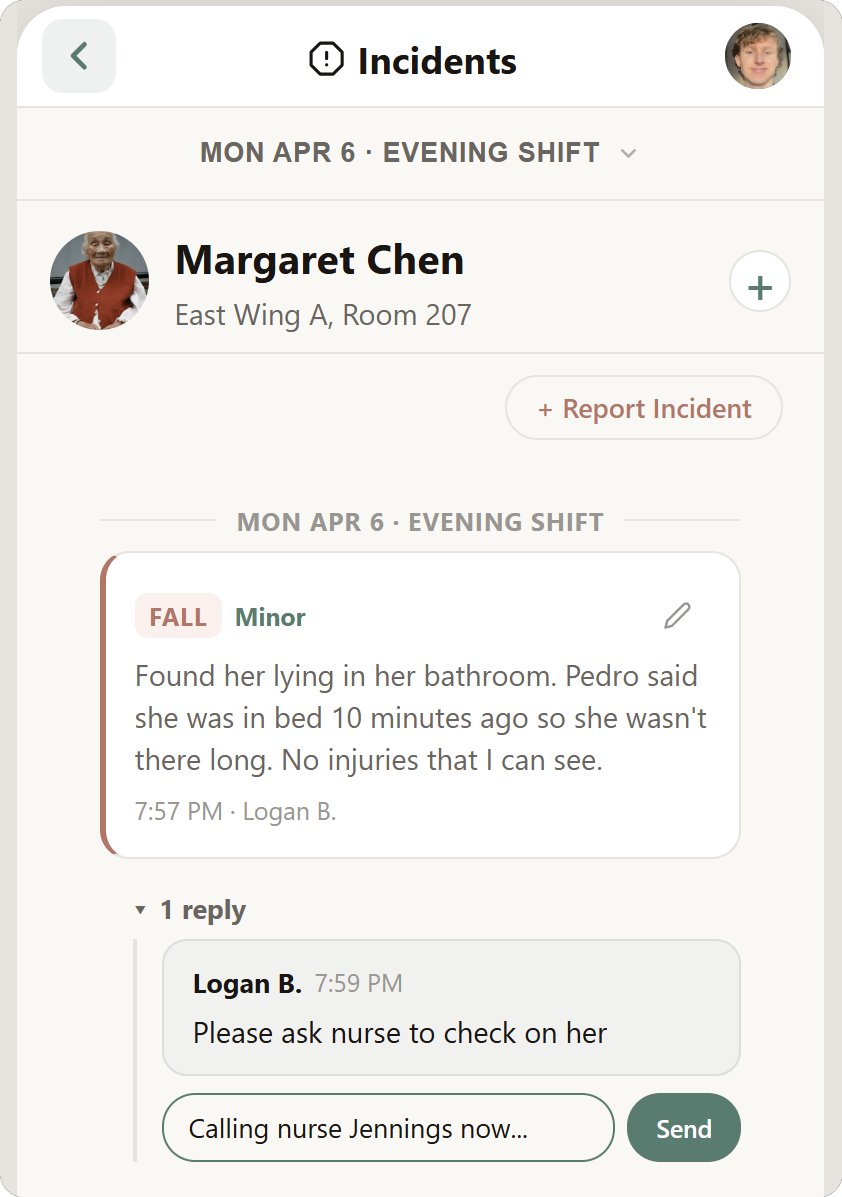
Review the event, the team’s discussion, and the follow-up together, so the conversation stays connected to the person and situation.
Keep the conversation with the event.
Discuss an insight, incident, or flag alongside the event itself. Keep what happened, what the team discussed, and the follow-up together.
Incidents
Review the report and the team’s follow-up in the same place.
Flags
Keep the discussion connected to the recorded information that raised the flag.
Insights
Give the team a place to contribute to the knowledge they share.
 For families
A closer connection for families.
Kulea Kin will give families a view into their loved one’s care, with the information the community or agency chooses to share.
A few common questions.
Who is Kulea for?
Kulea is built for assisted living, memory care, and home care teams. Go supports caregivers during shifts and visits; Central supports coordinators and administrators in the browser.
Does Kulea Go work offline?
Yes. Kulea Go supports offline use. Ask us to demonstrate the offline workflow during your demo.
Is multilingual support available now?
Multilingual support is coming very soon. The video illustrates the upcoming multilingual experience.
Can we choose what the team tracks?
Yes. Coordinators can configure what is tracked for each person, how often it is recorded, and which recorded values should raise a flag.
Walk through a shift or visit with Kulea.
See how a care program appears in Go, how caregivers record and share information, and how coordinators review it in Central.
Book a demoOr email hello@kulea.care